Turning WordPress into Wisdom: How to Build a RAG Chatbot
By: Chris Gaskins and Dominick Romano
Corporate websites often suffer from a universal problem: they are frequently “write-only” memory. Years are spent populating them with blog posts, technical documentation, knowledge base articles, and press releases. It is a goldmine of information, but for a user with a specific question, it’s a haystack.
This is called the “TL;DR” (Too Long; Didn’t Read) problem.
When a customer visits a site to troubleshoot a specific issue or understand a unique feature, they don’t want a list of “blue links” or a search bar that returns ten different pages. They don’t want to browse; they want the specific knowledge they are seeking immediately. If obtaining that knowledge takes too long, frustration sets in, and negative outcomes occur for both the customers and the business.
To truly serve users, a site doesn’t just need a better search bar—it needs a librarian. It needs an agent that has read every single word on the WordPress site and can synthesize an answer instantly. An intelligent AI Chatbot tuned for specific needs is the solution.
Here is how to build it, using n8n to orchestrate the logic and RAG (Retrieval-Augmented Generation) to turn content into a conversation.
The Architecture: Why n8n?
Off-the-shelf AI chatbots often suffer from the same limitations:
- Black boxes: It is difficult to control exactly how they process data.
- Siloed: They struggle to connect the dots between technical docs (usually one post type) and marketing updates (another post type).
- Trustworthiness: Data ownership is critical to ensuring that sensitive information remains secure.
- Simplicity: The goal is an elegant yet simple solution.
n8n (a workflow automation tool) is an ideal choice because it allows for the visual mapping of the data pipeline and the rapid building of the required backend automation. This isn’t just a simple script; it is an engineering solution that lives within production infrastructure.
For this article, let’s assume a high-level architecture consists of a corporate website (based on WordPress) running on one virtual machine, and a service node hosting n8n on a second virtual machine.
The design dictates the creation of four distinct n8n workflows:
- Bootstrap & Setup: The infrastructure initialization.
- Ingest: The data pipeline.
- Deletion Clean-up: The maintenance crew.
- Chatbot Responder: The user interface.
Step 1: Bootstrap & Setup (The Foundation)
Before ingesting a single word of content, the “brain” and the “memory” of the system must be prepared.
Create a specialized Bootstrap Workflow designed to handle the creation and configuration of database infrastructure. These workflows will rely on internal n8n Data Tables and a vector store called Chroma, which can be installed on the n8n node.
Crucially, this workflow also serves as a “Development Reset” tool. By passing a specific flag, this workflow can be triggered to wipe the existing memory and rebuild the schemas from scratch. This is invaluable during testing; instead of manually deleting rows after a failed experiment, one button returns the system to a clean slate, ready for a fresh ingestion run.
Step 2: Ingestion (The Smart Way)
Before getting into the specifics of a RAG system, let’s review the general flow of how RAG works.
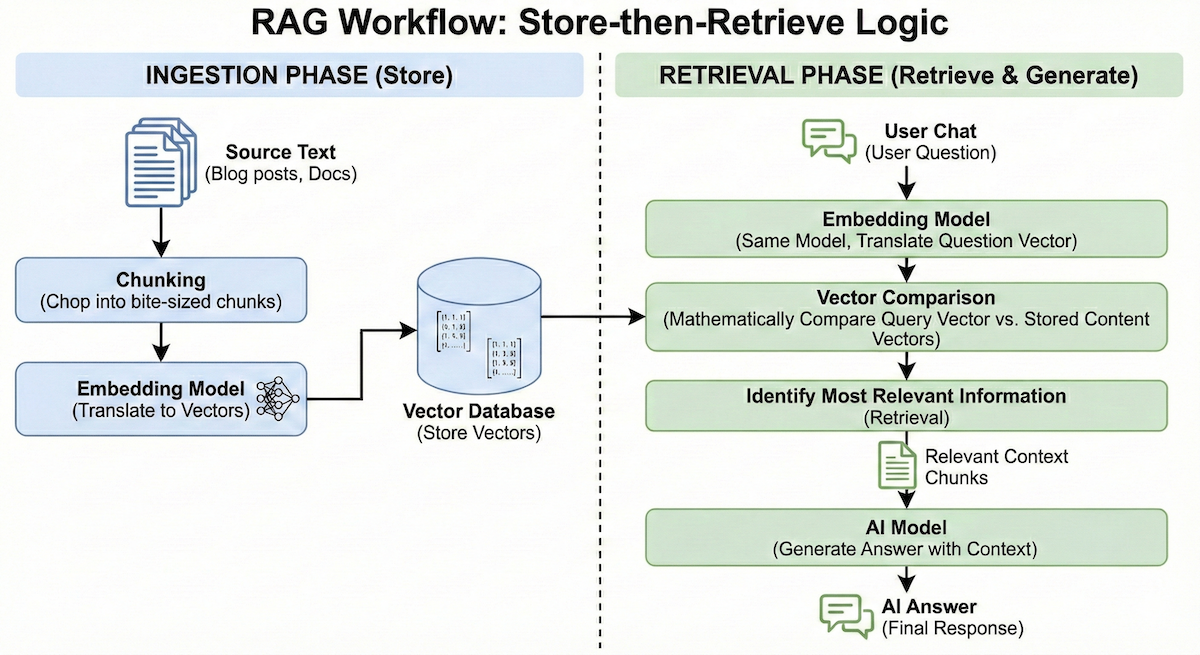
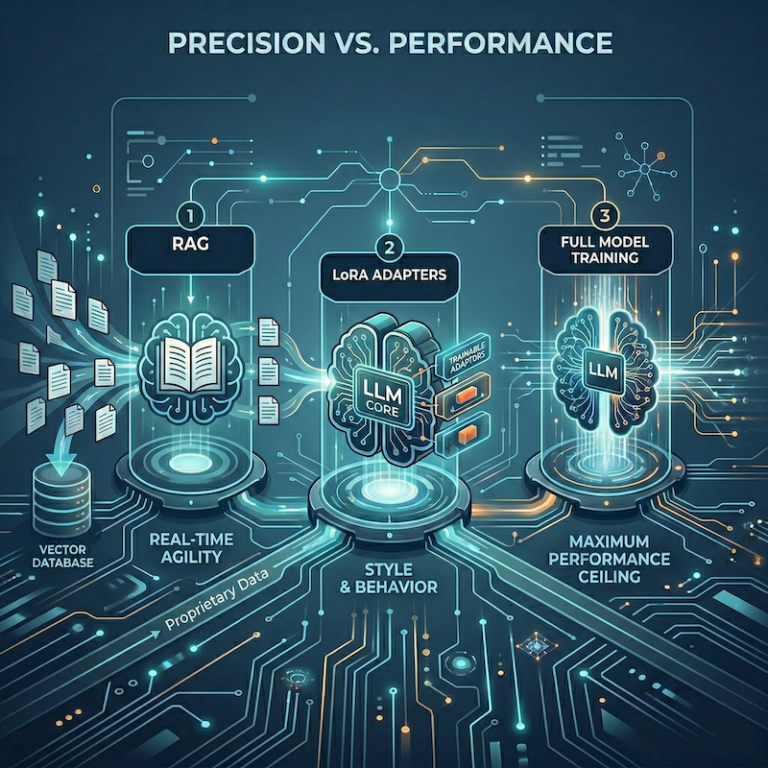
At its core, RAG operates on a “store-then-retrieve” logic involving two distinct phases. First is the Ingestion Phase: source text (blog posts, docs) is chopped into bite-sized chunks and run through an “Embedding Model.” This translates the text into a vector—a long list of numbers representing its semantic meaning—which is then stored in a Vector Database. Later, during the Retrieval Phase (when a user actually chats), the question is run through that same embedding model. By mathematically comparing the “vector” of the user’s question against the “vectors” of the stored content, the system can instantly identify the most relevant information to send to the AI for an answer.
The first challenge in building this specific chatbot is getting the data out of the corporate WordPress website and into the ingestion pipeline.
Many developers default to building “web scrapers” that crawl the HTML of the site. The problem with scraping is noise. A standard HTML page is 80% navigation menus, footers, sidebars, and scripts, and only 20% actual content. Feeding that noise into an AI could confuse it and lead to hallucinations. Data should be clean and precise. Since the site runs on WordPress, the API route is preferred.
Instead of scraping HTML, use n8n’s HTTP Request Node to query the WordPress REST API directly.
By querying endpoints like /wp-json/wp/v2/posts and /wp-json/wp/v2/pages, clean, structured JSON data can be pulled. Furthermore, this method retrieves vital metadata:
- Modified Dates: Ensuring the bot always knows the latest version.
- Categories/Tags: Helping the bot understand context.
- Clean Content: The raw HTML content without the website’s visual wrapper.
This approach ensures that the data is pure signal, not noise. Plus, the appropriate metadata allows for tracking changes, making it possible to process individual page and post changes instead of re-ingesting everything periodically.
Step 3: Vectorization (The “Memory”)
Before jumping into Vectorization, an AI Provider must be selected. There are many choices: Google Gemini, OpenAI ChatGPT, Anthropic Claude, as well as locally hosted models. The selected provider must allow API access for both embedding calls and chat conversation calls. The cost will vary depending on the model and the provider, so choose carefully.
Note: Drainpipe facilitates access to multiple providers through a single account. Drainpipe allows experimentation with different models and does not lock an application into a single provider.
Once n8n pulls the clean data from WordPress, it must be made searchable by meaning, not just keywords. Pass the content through an AI embedding model via a RESTful API. The embedding model (via an API call) turns the text into vectors—essentially long lists of numbers that represent the concept of the text. Store these vectors in the specialized vector database, ChromaDB.
This allows for semantic search. If a user asks, “How do I fix the login error?”, the system doesn’t just look for the word “fix”; it understands the concept of troubleshooting and retrieves the relevant Knowledge Base articles ingested from WordPress.
Ingestion Workflow Summary
At this point, an n8n ingestion workflow runs periodically (e.g., every hour). On its initial run, it retrieves all pages, posts, and knowledge base articles. On subsequent runs, it should only pull what has changed since the last run. n8n Data Tables store the metadata, and the ChromaDB vector database stores the embeddings.
The other side of the Ingestion Workflow is the Deletion Clean-up Workflow. The Deletion Clean-up also runs on a schedule, and its sole purpose is to remove content from the Data Tables and ChromaDB that is no longer on the WordPress site. To do this, the Deletion Clean-up Workflow queries WordPress (via API) for the master list of published pages and posts. It then compares the master list with the list of currently stored items in the n8n Data Tables. Any items found in the Data Tables that are not in the WordPress master list are purged. These actions keep the systems in sync.
Step 4: The Chatbot Responder Workflow
While the ingestion process builds the brain, the Chatbot Responder workflow uses it. This workflow is the real-time engine that powers every conversation.
- Receive Message: The workflow is triggered via a Webhook when a user sends a message from the frontend UI.
- Embed Request: Just as the website content was vectorized, the user’s question must now be vectorized by the AI model. Send the query to the AI embedding API to generate a matching vector.
- Vector Search: Send that query vector to ChromaDB. The database calculates the mathematical distance between the query and the stored content, returning the most relevant text chunks (the “Context”).
- Assembly: The workflow creates a text block combining the user’s question and the retrieved context based on the vector search results.
- LLM Generation: This assembled block is sent to the LLM (via the chat conversation API) with a strict instruction: Answer the user based ONLY on the provided context.
- Response: The final answer is received and sent back to the waiting user.
Step 5: The User Experience (The Frontend)
The final piece of the puzzle is how the user actually interacts with this system. Avoid forcing users to navigate to a separate “Chat Portal”; the help should be right where they are.
To achieve this, use a lightweight JavaScript module injected into the footer of the WordPress theme. This chat interface can be custom-built or re-use open source components.
When a visitor lands on the site, this script initializes a floating chat widget in the bottom-right corner. It handles the UI state—opening the window, displaying typing indicators, and rendering message bubbles—entirely in the browser.
When the user types a question and hits “Send”:
- The JavaScript creates a payload containing the user’s text.
- It makes an asynchronous POST request directly to the n8n Webhook URL defined in Step 4 (chat workflow).
- It awaits the JSON response from n8n and renders the answer immediately.
This “Headless” approach means the chatbot UI is decoupled from the backend n8n logic. The workflow can be updated in n8n, LLM models can be switched, or the vector search logic can be changed without ever touching the frontend.
The Result: From Search Results to Answers
The difference in User Experience (UX) is significant.
- The Old Way: The user types a query, gets 5 search results, opens 3 tabs, reads through them, and synthesizes the answer themselves.
The New Way: The user asks a question and gets a single definitive answer.
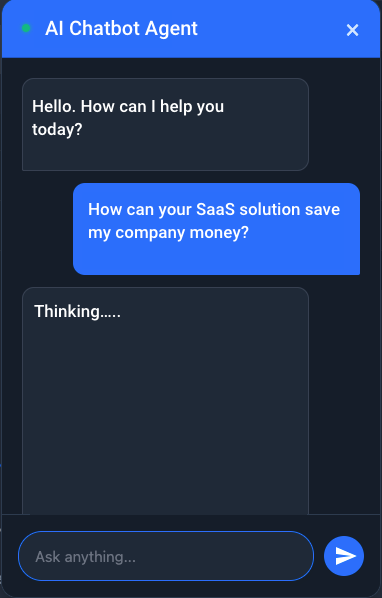
By connecting n8n to the WordPress API, a static website is effectively turned into a living, breathing expert on its own content. The TL;DR problem is solved not by writing less content, but by making content accessible through conversation. Marketing and technical teams can continue creating more content, enabling the AI Chatbot to become “smarter” and provide even richer responses to users.