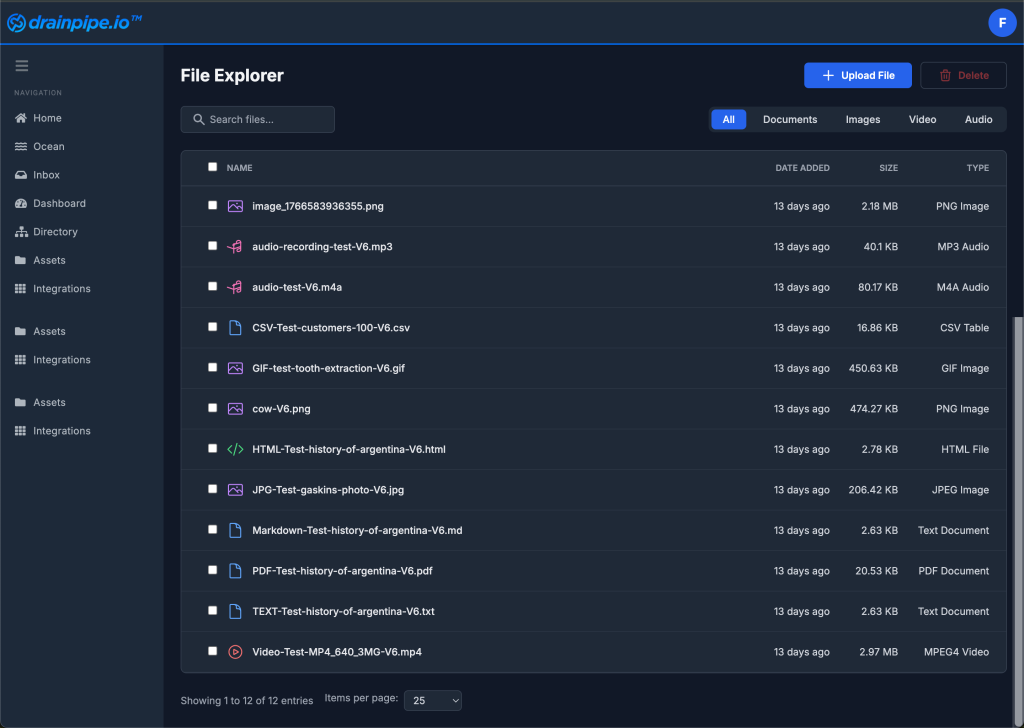
How do I view my Assets in Drainpipe Platform? Skip to main content < All Topics Main Platform Usage How do I view my Assets in Drainpipe Platform? PostedJanuary 7, 2026 UpdatedFebruary 23, 2026 0 out of 5 stars 5 Stars 0% 4 Stars 0% 3 Stars 0% 2 Stars 0% 1 Stars 0% All Assets in Drainpipe Platform may be viewed by selecting “Assets” from the left side. The Asset Explorer will display the Assets in a table with controls for filtering and searching at the top of the panel.
< All Topics Main Platform Usage How do I view my Assets in Drainpipe Platform? PostedJanuary 7, 2026 UpdatedFebruary 23, 2026 0 out of 5 stars 5 Stars 0% 4 Stars 0% 3 Stars 0% 2 Stars 0% 1 Stars 0% All Assets in Drainpipe Platform may be viewed by selecting “Assets” from the left side. The Asset Explorer will display the Assets in a table with controls for filtering and searching at the top of the panel.